More Fonts for your web pages
You can never have enough fonts! --Anon
There are several ways to add "fancier" fonts to your web pages… other than the suggested Web Safe Fonts
- Use a font you already have on/in your computer, and hope that the "client" visiting your web page also has that same font on/in their computer!
- Another way is to use Public Domain Fonts that are "free" to use on your web page, and your clients can "freely" download them.
- Use Web Fonts that are in the Public Domain
- Purchase Web Fonts from a font foundry.
Fonts Common to ALL Computers
This is from the web site http://www.ampsoft.net/webdesign-l/WindowsMacFonts.html
See the web site for the notes attached to specific fonts
These fonts are common between the Mac and PC
Windows fonts / Mac fonts / Font family
| Arial, Arial, Helvetica, sans-serif |
| Arial Black, Arial Black, Gadget, sans-serif |
| Comic Sans MS, Comic Sans MS5, cursive |
| Courier New, Courier New, monospace |
| Georgia1, Georgia, serif |
| Impact, Impact5, Charcoal6, sans-serif |
| Lucida Console, Monaco5, monospace |
| Lucida Sans Unicode, Lucida Grande, sans-serif |
| Palatino Linotype, Book Antiqua3, Palatino, serif |
| Tahoma, Geneva, sans-serif |
| Times New Roman, Times New Roman, Times, serif |
| Trebuchet MS1, Trebuchet MS, sans-serif |
| Verdana, Verdana, Geneva, sans-serif |
| Symbol, Symbol (Symbol2, Symbol2) |
| Webdings, Webdings (Webdings2, Webdings2) |
| Wingdings, Zapf Dingbats (Wingdings2, Zapf Dingbats2) |
| MS Sans Serif4, Geneva, sans-serif |
| MS Serif4, New York6, serif |
What if your Client Doesn't have the font you selected for display?
Give them an alternative using a Font Stack!
EG… { font-family: Zapf Chancery, Brush Script MT, cursive;}
Which font do you see?
Font Stacks
With CSS you can use a "font" stack that lists first the font you want the web page to display, The font stack then lists several alternate fonts that have similar"font faces" matching YOUR main choice. It is always best to end the list using the default generic name for the font-family like serif, sans-serif, monospace, cursive and fantasy.
A Font stack, looks like this in CSS
h1, h2, h3, h4, h5, h6, p {font-family: Arial, "Helvetica Neue", Helvetica, sans-serif; }
h1, p {font-family: Tahoma, Verdana, Segoe, sans-serif;}
The above Font stacks were generated from the web site http://cssfontstack.com They did all the work for you… finding fonts with similar font faces and making the stacks. All you need to do is copy and paste and put a comment (in your source) in your web page giving then credit.
Your Web Editor may already have a list of Font stacks ready for use:
An Example from Dreamweaver: {font-family: Cambria, "Hoefler Text", "Liberation Serif", Times, "Times New Roman", serif; }
Note that if the font name has spaces in it you must enclose the entire font name in quotes e.g.: "New Times Roman"
An Example From CoffeeCup's Font Wizard : {font-family: "Franklin Gothic Medium", "Franklin Gothic", Arial, sans-serif;}, but you get to build the stack yourself…
Font stacks are perfect candidates for "snippets"
A really good guide or primer about font stacks can be found at http://coding.smashingmagazine.com/2009/09/22/complete-guide-to-css-font-stacks/
They have some really nice lists of font stacks with renderings of what the fonts look like
for example:
Here are some listed for body text:
- Baskerville, ‘Times New Roman’, Times, serif
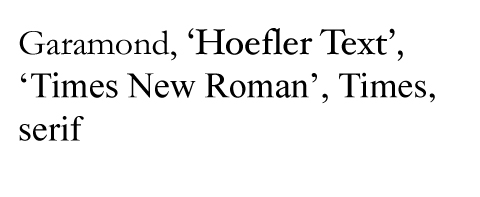
- Garamond, ‘Hoefler Text’, ‘Times New Roman’, Times, serif
- Geneva, ‘Lucida Sans’, ‘Lucida Grande’, ‘Lucida Sans Unicode’, Verdana, sans-serif
- GillSans, Calibri, Trebuchet, sans-serif
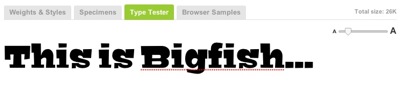
This web page let's you select fonts, change their attributes, and it will display them so you can compare and see what they look like… http://www.typetester.org If you are really into fonts you'll love the Typetester Generator.
For Example, this is the css I setup for Tahoma
CSS OF THE 3RD COLUMN’S SETTINGS
font-family: Tahoma;
background-color: #fff;
color: #444;
text-decoration: none;
word-spacing: normal;
text-align: left;
letter-spacing: 0;
line-height: 1.5em;
font-size: 1.6em;s you can see from the CSS you can fiddle with more than just a "Font Stack"
Public Domain Fonts
A good place to start is with Google's Font Directory
In 2010 when Google first started this project they only listed 23 fonts… They now list 501, oops now it's 626 font-families! Google provides you with the Markup that you'll need to snip and paste to embed the fonts into your web pages. Google is also working with Type Kit to make some of their fonts available for your use.
You don't have to "download" the fonts… Instead you paste a script (the embedded markup) that goes out and gets the font from Googles servers so that your client's browser can display 'em… However, you can only see these fonts while on-line.
<html>
  <head>
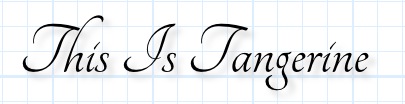
    <link rel="stylesheet" type="text/css" href="http://fonts.googleapis.com/css?family=Tangerine">
    <style>
      body {
       font-family: 'Tangerine', serif;
font-size: 48px;
text-shadow: 4px 4px 4px #444;
}
    </style>
  </head>
<body>
    <div>Making the Web Beautiful!</div>
  </body>
</html>
add a text shadow and you get

See https://developers.google.com/fonts/docs/getting_started for more details
Professional Font Foundry's
TypeKit offers a service that links you up with font foundries and the fonts of course...
TypeKit also offers "free" fonts for your use... You can use their Free service to try out their font service
You'll have to sign up for a free account, but the result may be "Font Relief!"
Have fun with fonts!
Got a question or comment? You Know 'holler~


 The easiest answer is to double the resolution of the images being served. The draw back is that your users might be downloading up to 4x more data than they need. The upside is you only have to maintain one set of graphics or photographs.